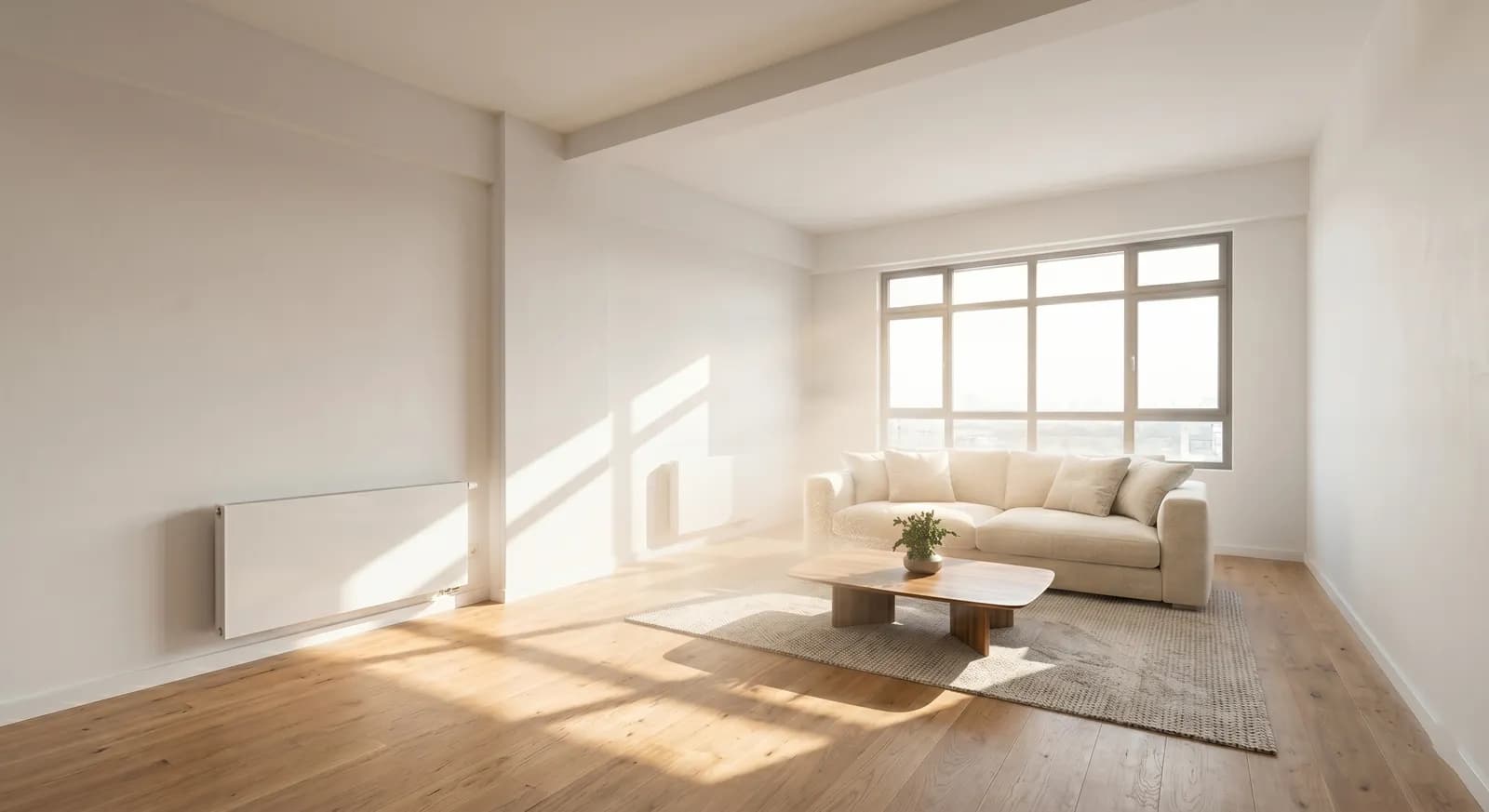
The 5 AI Services Every Real Estate Agent Should Use

Stageless Team

Real estate photography no longer relies solely on a good camera and a skilled photographer. Today, a set of artificial intelligence tools lets you transform any photo — furnishing empty spaces, removing unwanted elements, fixing clutter, improving technical image quality, and making specific adjustments through simple text instructions. This guide brings together the 5 Stageless AI services with the biggest day-to-day impact for real estate agents, explaining what each one does, when to use each tool, and how to combine them for the best possible result on every listing. If you've already read our previous articles on Instruction Editing specifically, this guide serves as a broader map: it shows where that particular tool fits within the full set of available resources, and helps decide, for each photo, the most efficient starting point before reaching the final text-instruction adjustments.
1. Virtual Staging: Furnishing Empty Spaces
Virtual staging is probably the best-known AI service applied to real estate, and for good reason: empty properties are notoriously harder to sell or lease, because buyers struggle to visualize a space's potential without furniture. Virtual staging solves this by adding photorealistic furniture to photos of empty rooms, showing how each space could be used — a living room, a bedroom, a home office — with no physical furniture or storage costs. The technology behind it analyzes the room's dimensions, lighting, and perspective, and inserts furniture at the correct scale, with shadows and reflections consistent with the rest of the image. Industry studies consistently show that staged properties, physically or virtually, tend to sell faster and generate more interest than equivalent empty properties. This service is particularly valuable for developers with multiple empty units in the same building, for owners who've already moved out before selling, and for short-term rentals where physical furniture doesn't make sense before a tenant is confirmed.
2. Object Removal: Cleaning Up Unwanted Elements
Not every real estate photo has the luxury of a perfectly tidy, distraction-free space. AI object removal lets you eliminate unwanted elements from a photo — cars parked in the driveway, trash bins, visible power lines, or even people who accidentally showed up in the shot — without leaving visible traces of the edit. Unlike automatic decluttering, which focuses on personal items inside a home, object removal is frequently used in exterior contexts: facades, gardens, and the property's surroundings. It's also the right tool for one-off, specific situations, like removing a single problematic element from a photo that's otherwise already well composed. This tool works by identifying the indicated object, removing it from the image, and filling the resulting space coherently with the background — preserving textures, shadows, and perspective.
3. Automatic Decluttering: Cleaning Up Occupied Spaces with One Click
Photographing a still-occupied property presents a recurring challenge: no matter how much owners tidy up before the shoot, there's always some visible clutter left over — clothes, toys, toiletries, mail on a table. Asking owners to completely empty every room before each photo shoot is unrealistic and creates friction in the client relationship. The automatic decluttering tool solves this with a single click: it identifies and automatically removes personal items and general clutter from a photo, with no need to specify each item individually, unlike manual object removal. It's the best tool for the day-to-day volume of occupied-property photos, saving time for both the photographer and the owner, who no longer needs to reorganize the whole house before every shoot.
4. Automatic Image Enhancement: Optimizing Technical Quality
Even with a good camera, real estate photos taken under real working conditions — limited time, variable lighting, difficult angles — rarely come out technically perfect. Automatic image enhancement globally adjusts a photo's brightness, contrast, saturation, and sharpness, fixing common issues like underexposure, incorrect white balance, or lack of definition, with no photo-editing technical knowledge required. This tool is the recommended first step for any editing workflow, because a technically well-adjusted image serves as a more reliable base for the remaining edits — staging, object removal, or specific instructions. Applying this enhancement before other edits also reduces the risk of visual inconsistencies between photos of the same property taken at slightly different moments.
5. Instruction Editing: Specific Adjustments via Text Instruction
For everything that doesn't quite fit into the four tools above, there's Instruction Editing: the ability to describe any specific change in plain language and see the AI apply it in seconds. Changing a door's color, adjusting the sky for a sunny day, replacing a single piece of furniture with a more neutral version, or fixing a damp stain on a wall — these are all tasks that don't perfectly fit a dedicated tool, but that Instruction Editing solves with a simple written sentence. This tool works as the final touch after the others have been applied: after furnishing the space, removing clutter, and improving technical quality, Instruction Editing allows the fine-detail adjustments that give each photo its final finish.
Why Having All 5 Services on the Same Platform Saves Time
Before platforms like Stageless existed, an agent who wanted to furnish an empty space, remove a car from the driveway, and then adjust a door's color would have had to use three different tools or vendors — a specialized virtual staging service, a Photoshop editor for object removal, and maybe a second request to the same editor for the color adjustment. Every transition between tools or vendors introduces waiting time, possible style inconsistencies between edits, and the need to download and re-upload the same image multiple times. Having all 5 services integrated on a single platform eliminates this friction: the same photo can go through several edits in sequence without leaving the app, without files bouncing between different programs, and with a consistent visual style across all edits, because they all share the same underlying technology.
Impact on Brand Consistency Across Multi-Agent Listings
Agencies with multiple agents frequently face a visual consistency problem: each agent has their own photography and editing style, which makes listings from the same agency look like they were produced by different companies. When every agent uses the same set of 5 AI services, with the same base image enhancement parameters and the same staging style, listings tend to look more visually cohesive with each other, reinforcing the agency's brand identity. This is particularly valuable for agencies investing in their own brand marketing, where visual consistency across listings is part of the professionalism perceived by clients.
Practical Example: From Raw Photo to Ready Listing
Consider an empty living room, photographed on an overcast day, with a visibly worn light switch on one wall. The full workflow would start with automatic image enhancement, fixing the photo's overall contrast and exposure. Next, virtual staging would furnish the space with a sofa, coffee table, and decorative elements appropriate to the property's style. Then, object removal would handle the worn switch, or any other small visible defect on the wall. Finally, Instruction Editing would allow a final, specific adjustment — for example, "add warmer natural light to the room" — to give the image its desired atmospheric finish. The result is a photo that, minutes earlier, was an empty, lifeless room on a grey day, transformed into a listing-ready image, furnished, well-lit, and free of visible flaws — all through four sequential steps within the same platform, with no need for any additional software.
Quick Decision Guide: Which Service to Use First
For anyone without an established workflow yet, this simple question helps decide where to start: is the property empty, occupied, or somewhere in between? If it's completely empty, virtual staging is almost always the starting point, because the lack of furniture is the factor that most hurts the perception of the space. If it's occupied and has visible clutter, start with automatic decluttering before any other step. If the main issue is a specific exterior element — a car, a bin, visible cables — object removal handles that directly. If the photo is already technically correct in terms of composition but simply looks "lifeless" or poorly lit, automatic image enhancement alone is often enough. And if, after any of these steps, a specific detail remains to fix — a color, a stain, an atmospheric adjustment — that's where Instruction Editing comes in, as the last step before considering the photo ready to publish. This simple sequence of questions removes most of the uncertainty about which tool to try first on any new photo.
Pricing: What to Expect When Combining the 5 Services
A common question from those evaluating the platform for the first time is whether each of the 5 services has a separate cost, or whether they're bundled together. On most Stageless plans, access to all 5 services is included in the same subscription, with cost mainly varying based on monthly editing volume rather than the number of different tools used. In practice, this means there's no penalty for combining several services on the same photo — an agent who applies image enhancement, staging, and then a text-instruction adjustment to the same photo doesn't pay more than if they'd used just one of these services alone. This pricing structure specifically encourages the kind of combined workflow described in this guide, rather than artificially limiting usage to a single tool per image. It's always worth confirming the specific details of your current plan on the pricing page, since structures can vary depending on promotions or plan updates over time.
How to Combine the 5 Services into a Single Workflow
In practice, these 5 services don't compete with each other — they complement one another, and most agents end up developing an application sequence that suits their type of properties. A logical order for an occupied property would start with automatic image enhancement, to ensure a technically solid base, followed by automatic decluttering, to remove personal items and general clutter. If the property has problematic exterior elements — a car in the driveway, visible cables — object removal handles those specific cases. For empty properties, virtual staging replaces the decluttering step, furnishing the space instead of cleaning it up. Finally, Instruction Editing handles the final, specific adjustments that none of the previous tools cover — changing a color, fixing a detail, adjusting the overall mood. This combination turns what would be a fragmented editing process spread across several tools into a single, coherent workflow, all within the same platform.
Explore Stageless's 5 AI services and find out which one makes the most sense for your next listing.
Written by Stageless Team
We are a team of real estate technology experts passionate about AI. Our mission is to help agents sell faster by democratizing access to high-end virtual staging tools.