

How Does AI Virtual Staging Work? A Plain-English Explanation

Stageless Team
Editor in Chief
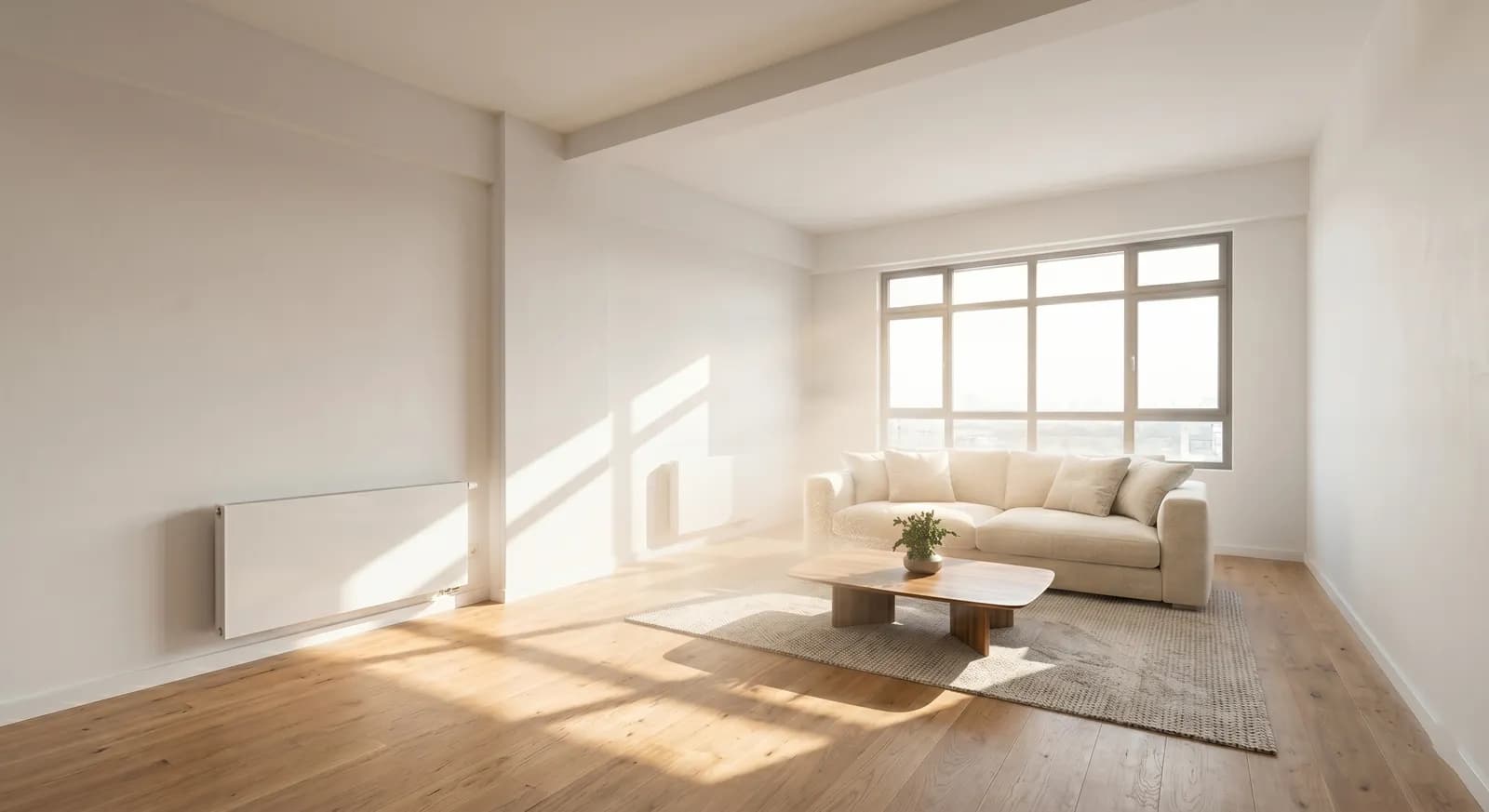
You upload a photograph of an empty room. Ninety seconds later, you download a 4K image showing the same room furnished with a sofa, coffee table, bookshelves, a rug, and artwork — all rendered at a quality that looks like professional interior photography.
The result is impressive, but the question agents often ask is: what is actually happening? Is this just Photoshop with extra steps? Is there a human designer involved? How does the system know where to put things?
This article explains how AI virtual staging actually works — not in technical jargon, but in terms that help you understand what the technology can and cannot do, and why the quality differences between tools matter.
A Brief History: From Photoshop to Generative AI
The first generation of virtual staging was essentially digital furniture placement done manually. Designers would take an interior photograph, open it in Photoshop or a 3D compositing tool, and hand-place 3D models of furniture into the scene, adjusting perspective, lighting, and shadows to make the result look realistic. The best results were impressive. The worst looked like catalogue images cut and pasted into a photograph.
This approach was also slow — typically one to three business days per image — and expensive, reflecting the labour involved. For a side-by-side breakdown of how much time it saves versus Photoshop on a typical listing, see our dedicated comparison.
The second generation of virtual staging tools built libraries of pre-rendered room scenes and allowed clients to select from a menu of furniture layouts. This was faster but inflexible; you could only choose from what was in the catalogue, and the results often looked more like a showroom display than a real home.
The current generation uses generative AI — specifically, large diffusion models trained on millions of interior photographs. This is a fundamentally different approach, and it is why the results have improved so dramatically in the past two to three years.
How Modern AI Virtual Staging Works: Step by Step
Step 1: Room Analysis and Scene Understanding
When you upload a photograph to an AI virtual staging tool, the first thing the system does is analyse the image to understand the scene it is working with.
This involves several types of detection happening simultaneously:
Depth estimation. The model estimates the three-dimensional geometry of the room from the two-dimensional photograph. Where is the floor? Where are the walls? How high is the ceiling? What is the rough square footage? Without accurate depth estimation, any furniture the system places will sit at the wrong scale or angle.
Surface detection. The model identifies surfaces — floors, walls, window reveals — and understands their material properties. Is the floor wood? Tile? Carpet? This matters because the furniture the model places will need to cast appropriate shadows and reflections on those surfaces.
Light source identification. Where is the light coming from? Are there windows? Are ceiling lights present? The model needs to understand the lighting environment to ensure that any furniture it adds receives and casts light in a way that matches the rest of the image.
Existing object identification. If the room is not completely empty — if there is a built-in wardrobe, a radiator, or a kitchen unit — the model identifies these elements and treats them as fixed constraints that the staged furniture must work around.
Step 2: Style Selection and Furniture Generation
Once the room is understood, the staging system applies your selected style — Scandinavian, contemporary, Mediterranean, industrial, and so on — to generate appropriate furniture and décor.
This is where the generative AI does its most distinctive work. Rather than selecting pre-built 3D models from a library and placing them, a diffusion-based AI system generates furniture that is contextually appropriate to the specific room. The sofa it places in a narrow living room will be proportionally different from the one it places in a wide-open loft. The colour palette it applies will respond to the existing colour characteristics of the room — the wall colour, the floor tone, the light quality.
The generation process works by progressively refining a noisy image into a coherent one, guided by the room geometry estimated in Step 1 and the style constraints you have specified. This is why diffusion-based AI staging produces results that look photographically natural — the furniture is generated within the image's own context rather than pasted over the top of it.
Step 3: Rendering and Quality Refinement
The raw output from the generative model is then processed through refinement stages designed to improve realism:
Shadow and reflection consistency. The system checks that shadows cast by virtual furniture match the identified light sources, and that floor materials reflect the placed objects appropriately.
Edge coherence. The model ensures that furniture edges — where the sofa meets the floor, where the bookshelf sits against the wall — look physically continuous with the room rather than cut-and-pasted.
Resolution upscaling. For tools that output at 4K, the image passes through an upscaling model that maintains detail quality at large print and screen sizes.
Step 4: Output and Download
The finished image is available for download, typically within 60 to 120 seconds of upload. The output is a single image file — usually a JPEG or PNG — at the specified resolution.
The output is ready for portal publishing without further editing, though agents can of course apply their own adjustments if needed.
What Makes Quality Different Between Tools
Not all AI staging tools work the same way, and the quality differences between them are significant. Here is what actually drives the variation:
Model training data. The better a model's training data — in terms of volume, diversity, and quality — the better its ability to understand and stage a wide range of room types. A model trained only on North American living rooms will perform poorly on a Portuguese apartment with stone flooring and double-height windows.
Output resolution. The majority of AI staging tools still output at 1080p or equivalent. This looks acceptable on a mobile screen but falls below the quality bar for professional real estate portals, especially in European markets where 4K photography has become standard. Stageless AI outputs at 4K.
Geometry accuracy. The quality of the depth estimation model directly determines whether furniture sits correctly in the room or floats, tilts, or appears disproportionately large or small. This is one of the most visible quality differentiators between tools.
Lighting model. Tools that accurately model the room's lighting produce staged images that look naturally illuminated. Tools with weaker lighting models produce staged images where the furniture appears to be lit differently from the rest of the room — a tell-tale sign that the image has been edited.
What AI Virtual Staging Cannot Do
Understanding the limits of the technology is as important as understanding its capabilities.
AI staging does not work on very dark or blurry images. The room analysis models require sufficient image quality to accurately estimate geometry and lighting. A photograph taken in poor light with a phone camera will produce a poor staging result regardless of how sophisticated the AI is. The output quality is bounded by the input quality.
AI staging cannot add features that do not exist. Responsible use of virtual staging means showing the room's potential with furniture, not adding architectural features that are not there. Adding a fireplace, changing the room dimensions, or replacing a view are forms of deception, not staging.
AI staging cannot control exactly which furniture appears. With generative AI systems, you can control style and broad parameters, but you cannot specify "place this exact IKEA model in this exact location." The AI makes compositional decisions. This is a trade-off for speed — the manual control that comes with 3D compositing takes days, not seconds.
AI staging does not replace in-person presentation for luxury properties. For properties where buyers will spend extended time in person before making a decision, the in-person environment matters. AI staging serves the digital-first phase of the buyer journey; physical staging serves the in-person phase.
The Stageless AI Workflow in Practice
Stageless AI's staging workflow is designed for the professional agent who needs speed without sacrificing output quality:
1. Upload: Photograph is uploaded directly through the web interface or mobile app. No account setup or training is required.
2. Select style: Choose from a range of staging styles — Scandinavian, contemporary, Mediterranean, minimalist, and others.
3. Generate: The AI analyses the room, generates contextually appropriate furniture and décor, and applies lighting refinement.
4. Download: The 4K result is available for download within approximately 90 seconds.
Agents can also apply additional tools — lighting enhancement, object removal, sky replacement — within the same workflow, which means a complete photo optimisation pass can be done in a single session before publishing the listing.
Conclusion
AI virtual staging works by combining computer vision (to understand the room's geometry and lighting), generative AI (to create contextually appropriate furniture within the scene), and image refinement (to produce photorealistic output at publication-ready quality).
The technology does not cut corners that a human designer would not cut — it simply does the work orders of magnitude faster and at a fraction of the cost. For professional real estate agents, that speed and cost advantage changes what is economically viable: staging every listing, at every price point, as a standard part of the marketing process.
See the AI in action — upload a photo and get a staged result in under 2 minutes on stageless.ai. First image free, no subscription required.
Related reading: What Is AI Virtual Staging? · Can Buyers Tell If a Home Is Virtually Staged? · Best AI Virtual Staging Tools in 2026
Written by Stageless Team
We are a team of real estate technology experts passionate about AI. Our mission is to help agents sell faster by democratizing access to high-end virtual staging tools.

