AI Video Tour: How to Create One From Your Photos

Stageless Team
An AI video tour turns the listing photos you already have into a cinematic walkthrough of the property. No camera crew, no scheduling, no editing software. You upload between 3 and 30 photos, assign them to rooms, set the order buyers should move through, pick a visual style, and download an MP4.
The part that catches most agents out is that the tool follows your photo set rather than repairing it. A well-covered set of ten photos produces a walkthrough a buyer accepts as real. Thirty photos shot in a hurry, at different heights, with the blinds open in one room and closed in the next, produce movement that feels wrong. The buyer rarely knows why. They stop watching.
This guide covers how the feature works, how many photos to upload and why the number matters more than you would expect, the shot list that produces a usable result, how to order the rooms, which of the four styles fits which property, and how to disclose an AI-generated video tour under the rules that came into force on 2 August 2026.
What an AI Video Tour Actually Is
An AI video tour is a generated video sequence built from still photographs of a real property. The AI reads each photo, produces camera movement through the space it depicts, and connects the rooms in the order you specify. Each photo becomes roughly five seconds of video. The output is a downloadable MP4 with a share link.
Stageless AI launched the feature in July 2026. It costs one video credit per tour regardless of how many photos you include, which changes the economics compared with per-photo pricing. Generation usually takes 3 to 10 minutes.
How it differs from a slideshow
A slideshow shows photographs in sequence with a transition between them. The camera does not move inside any single image, and the order is editorial: whatever order the file names happened to be in, or whatever order looked good to whoever assembled it.
A video tour moves through each space and connects the rooms in the layout order of the property. The distinction matters to a buyer for one reason: a slideshow shows them rooms, and a walkthrough shows them how the rooms relate to each other. Spatial relationship is the single thing photographs cannot convey and the single thing a buyer needs before committing to a viewing.
How it differs from a 3D virtual tour
A 3D virtual tour is captured with specialist equipment, usually a Matterport or similar camera on a tripod, moved from position to position through the property. It produces a navigable model the buyer clicks through at their own pace. It is accurate, it is interactive, and it requires a site visit with hardware.
A video tour is generated from photographs after the fact, plays linearly, and requires nothing beyond the photos you already took. The two are not substitutes. A 3D tour is stronger for a buyer who has already decided to consider the property seriously. A video tour is stronger at the top of the funnel, on a portal listing or a social post, where the job is to get someone to stop scrolling.
Why Video Matters on a Listing in 2026
Two things have changed in the past eighteen months.
The first is that buyers now expect motion. A buyer who watches property videos on social media and on portals every week is increasingly reluctant to commit to a viewing based on a photo gallery alone. This is most pronounced with international buyers, who cannot casually drop in, and with off-plan or renovation properties, where the finished space needs to be imagined rather than observed.
The second is production cost. A professional property video costs somewhere between €800 and €2,000, requires scheduling a videographer, and takes days to deliver. That economics meant video was reserved for premium listings. Generating a tour from photos you already have, for one video credit, removes the reason to reserve it.
There is a claim circulating that portal algorithms now factor video presence into listing visibility. It is plausible and several portals have said as much about engagement signals generally, but we have not found a portal that publishes this as a documented ranking factor. Treat it as likely rather than established.
How It Works, Step by Step
Step 1: Upload between 3 and 30 photos
The platform accepts a minimum of 3 photos and a maximum of 30. Most residential listings sit comfortably in the 8 to 15 range. More on choosing the number below, because it decides more than you would expect.
Step 2: Room detection, with or without a floor plan
If you upload a floor plan, the AI reads it, names each room, and places it on a map of the property. If you do not have one, you add the rooms yourself, which takes seconds.
The floor plan is optional. It is a convenience that saves you naming the rooms, not a requirement for the tour to work. This is worth stating plainly because the assumption that a floor plan is mandatory stops agents from trying the feature on listings where no plan exists, which in practice is most older properties.
Step 3: Assign the photos and set the room order
You drag each photo onto the room it belongs to, then drag the rooms into the order buyers should move through the property. This is the step that does most of the work and the one most people rush.
The AI is not guessing the layout from visual clues. You are telling it the layout. That means the walkthrough is as coherent as the order you give it, and no more.
Step 4: Choose a visual style
Four styles are available: Cinematic, Modern, Luxury and Minimal. The style directs how each room is shot, including pacing and camera movement, not just colour grading. Guidance on matching style to property type is further down.
Step 5: Generate and download
Generation costs one video credit and usually completes in 3 to 10 minutes. You do not need to keep the tab open. When it is ready, download the MP4 or copy a share link.
How Many Photos to Upload
Photo count decides video length
Each photo becomes about five seconds of video. That makes the arithmetic simple and the consequence significant.
Ten photos produce roughly fifty seconds. Twenty produce a video of nearly two minutes. Thirty produce two and a half minutes.
A two-and-a-half-minute walkthrough of a two-bedroom flat is longer than any buyer will watch on a portal, and far longer than works on Instagram or TikTok. If your intended destination is social, 8 to 12 photos gets you to under a minute, which is the range where a video is watched to the end. If the destination is the listing page and the property genuinely has a lot of space to show, more photos are defensible.
Decide the destination before you decide the photo count. It is the same decision.
Coverage beats volume
The useful question is not how many photos, but whether every space a buyer cares about appears once, clearly, in consistent light.
Eight photos covering the entrance, living room, kitchen, both bedrooms, bathroom, and outdoor space produce a better tour than twenty that include six angles of the living room and nothing of the second bedroom. The redundant angles add length without adding information, and the missing room raises a question in the buyer's mind that the video then fails to answer.
One good photo per room, plus a second for any space large enough that one frame cannot hold it, is a reliable default.
The Shot List
The photos that produce a good tour are not exotic. They are consistent. Three things matter more than composition.
Camera height
Keep the phone or camera at the same height in every room, roughly chest height. When the height varies between photos, the generated movement reads as the floor rising and falling as the viewer walks, which is one of the more disorienting artefacts and one of the easiest to avoid.
Light consistency
Lock exposure and white balance before you start, and keep the blinds in the same state throughout. A set where one room is bright and daylit and the next is dim with the blinds half down produces a tour that appears to move between different times of day. The property looks inconsistent rather than the photography looking inconsistent, which is the wrong impression to leave.
Framing that sits straight
Hold the camera level and shoot straight into the room rather than diagonally into a corner. Corner shots compress the space and make rooms read as smaller than they are. Avoid ultra wide angle: the distortion at the edges of the frame carries into the video and is more visible in motion than in a still.
What to leave out
Skip photos where a mirror dominates the centre of the frame, because the reflection can be interpreted as additional space. Skip photos with people in them. Skip anything blurred, badly exposed, or shot into direct backlight. A weak photo does not become acceptable in a video. It becomes five seconds of weak video.
Stage First, Then Generate the Video
The order is not reversible and it is the most common mistake with this feature.
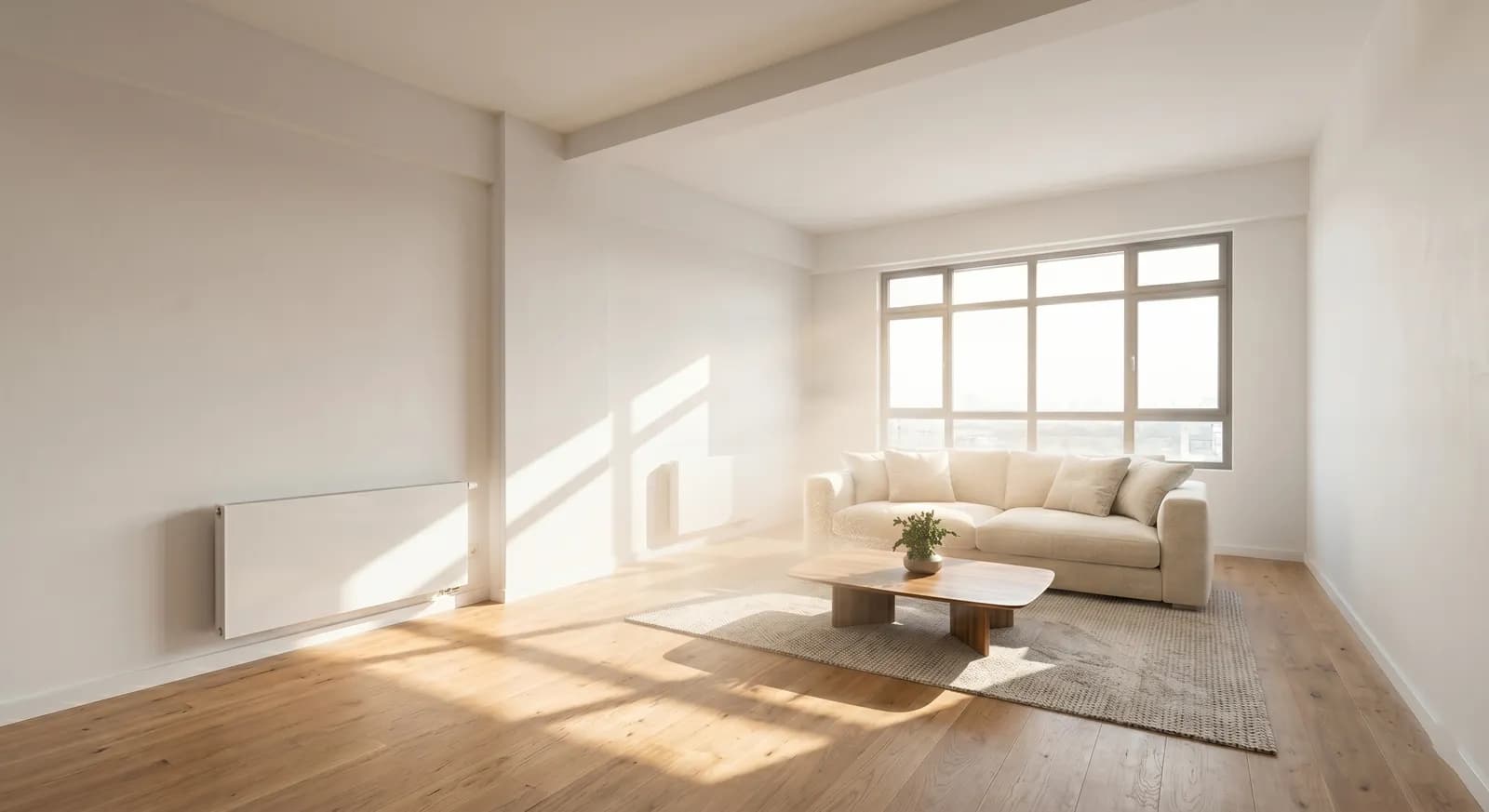
Apply virtual staging to the photographs first. Then generate the walkthrough from the set you have already worked on. The furniture, the corrected lighting and the styling all carry through into the video.
Do it the other way round and there is nothing to correct. A video that already exists cannot be staged. You would have to stage the photos and generate a second tour, which costs another credit and an unnecessary hour.
For an empty property, that sequence means: photograph the rooms, stage the photos, assign them to rooms, generate. One extra step, in the right order, and the entire walkthrough comes out staged.
The Four Styles and When to Use Each
Cinematic
Slower pacing, wider movement, more deliberate camera work. The default choice for houses, properties with outdoor space, and any listing where the sense of scale is the selling point. It is also the style that holds up best on a listing page, where the viewer has already chosen to watch.
Modern
Cleaner and quicker. Suits urban apartments, new build, and city centre properties, and it is the safest choice when the target buyer profile is a professional or a first-time buyer. It also survives being cut down for social better than Cinematic, because the pacing is already brisk.
Luxury
Heavier, more composed, with the pacing of a brochure. Appropriate for premium listings where the visual language needs to signal quality. Applied to a modest property it produces a mismatch a buyer notices immediately, and mismatched signalling costs more credibility than plain presentation ever does.
Minimal
Restrained movement, minimal flourish. The right choice for small apartments and studios, where elaborate camera work in a compact space feels like an attempt to distract. It is also the style to use when the property itself is the argument and you want nothing between the buyer and the space.
Room Order: the Decision That Does Most of the Work
You control the order the rooms appear in. The default instinct is to lead with the best room. Resist it.
Order the rooms the way a buyer would physically walk the property. Entrance, then the space the entrance opens onto, then through to the kitchen, then the bedrooms, then outdoor space. A buyer watching a walkthrough is building a mental map. A sequence that jumps from the main bedroom to the kitchen to the second bathroom does not build a map, it produces a list.
Two practical points. Open with the entrance even though it is rarely the most attractive room, because it establishes where the viewer is standing and everything after it makes more sense. And end on the strongest space, whether that is a terrace, a view, or the living room, because the last five seconds are what the buyer carries into the decision about whether to book.
What to Do With the Finished MP4
You have one file and at least three destinations, and they do not want the same thing.
The listing page on the portal is the primary destination. Portal video handling differs between Idealista, Imovirtual and Rightmove: some accept an uploaded file, some accept only a hosted link, and maximum length is rarely the same twice. Check the current requirements in your own portal account before you generate, because the accepted length may change your photo count.
Social is the second destination and needs a vertical cut, shorter than the portal version. A tour built from ten photos runs about fifty seconds, which works on Reels and TikTok. A tour built from twenty-five does not, and cutting it down after the fact loses the room-to-room logic that made it worth watching.
The third destination is direct: the share link, sent to a specific buyer who asked a specific question about layout. This is the highest-value use of the file and the one most agents forget. A buyer who emails asking how the kitchen connects to the terrace should get a link, not a paragraph.
Disclosing an AI-Generated Video Tour
Article 50 of the EU AI Act has applied since 2 August 2026, and the European Commission published its final guidelines on 20 July 2026. If you publish an AI-generated video tour on a listing, you are the deployer of an AI system. The disclosure duty sits with you, and the tool cannot discharge it on your behalf.
No official interpretation has been published on whether a generated walkthrough of a real, photographed property falls under the deepfake provision in Article 50(4). Anyone who tells you the answer with confidence is speculating. What the guidelines do establish is that the lighter exception for creative and fictional content is to be read strictly, and that purely commercial content does not benefit from it. A property listing is commercial content.
The prudent approach costs four steps. Label the video, either in a title card or in the description, with wording such as "This video tour was generated from photographs using AI." State in the listing description that the property is unfurnished if the photos were staged. Keep the original photographs available on request. And keep an internal record of which listings used generated video and when.
None of this reduces performance. A buyer who knows what they are looking at arrives at the viewing ready to negotiate rather than ready to correct a false impression, and that is a better meeting for everyone in it.
Which Listings Benefit Most
Properties where the layout is the selling point
Open-plan apartments, houses with an indoor to outdoor flow, anything with a mezzanine or split level. Photographs show these spaces in isolation and lose the exact quality that makes them desirable.
Listings marketed to buyers who cannot visit
International buyers, relocations, and investors. For a buyer weighing the cost of a flight, a walkthrough is the difference between an enquiry and a scroll.
Off-plan and renovation projects
The property does not exist yet or does not yet look like the thing being sold. Stage the photos, generate the tour, and disclose clearly that both are generated. The disclosure is not optional here and it is not a weakness. It is what separates a credible projection from a misleading one.
Listings that have stalled
A listing with consistent impressions and no enquiries has a presentation problem, not necessarily a price problem. Adding a video tour refreshes the listing without touching the price, which is the cheaper of the two experiments to run first.
Getting Started
Stageless AI gives three free credits on signup, with no credit card required. The platform runs in a browser on desktop and mobile.
A sensible first attempt: take a listing you already have photographed, pick eight to twelve photos that cover every room once, stage them if the property is empty, assign them to rooms, order the rooms the way a buyer would walk through, choose Cinematic or Modern, and generate. It will be ready in under ten minutes, and it will tell you more about the feature than any amount of reading.
Try it free at stageless.ai. Three credits, no subscription, no credit card.
Written by Stageless Team
We are a team of real estate technology experts passionate about AI. Our mission is to help agents sell faster by democratizing access to high-end virtual staging tools.