Staging First, Video Second: The Right Order for a Listing

Stageless Team
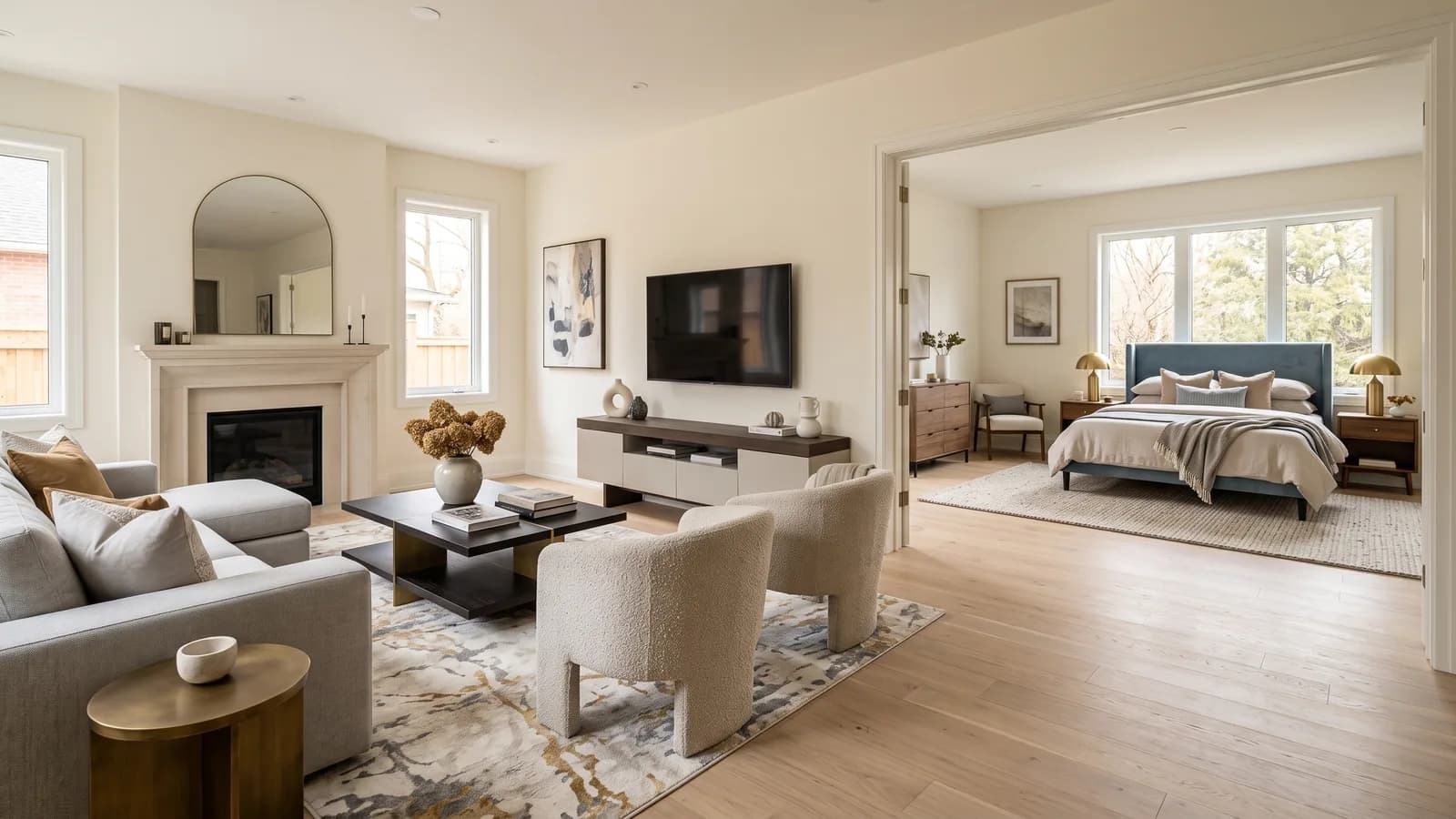
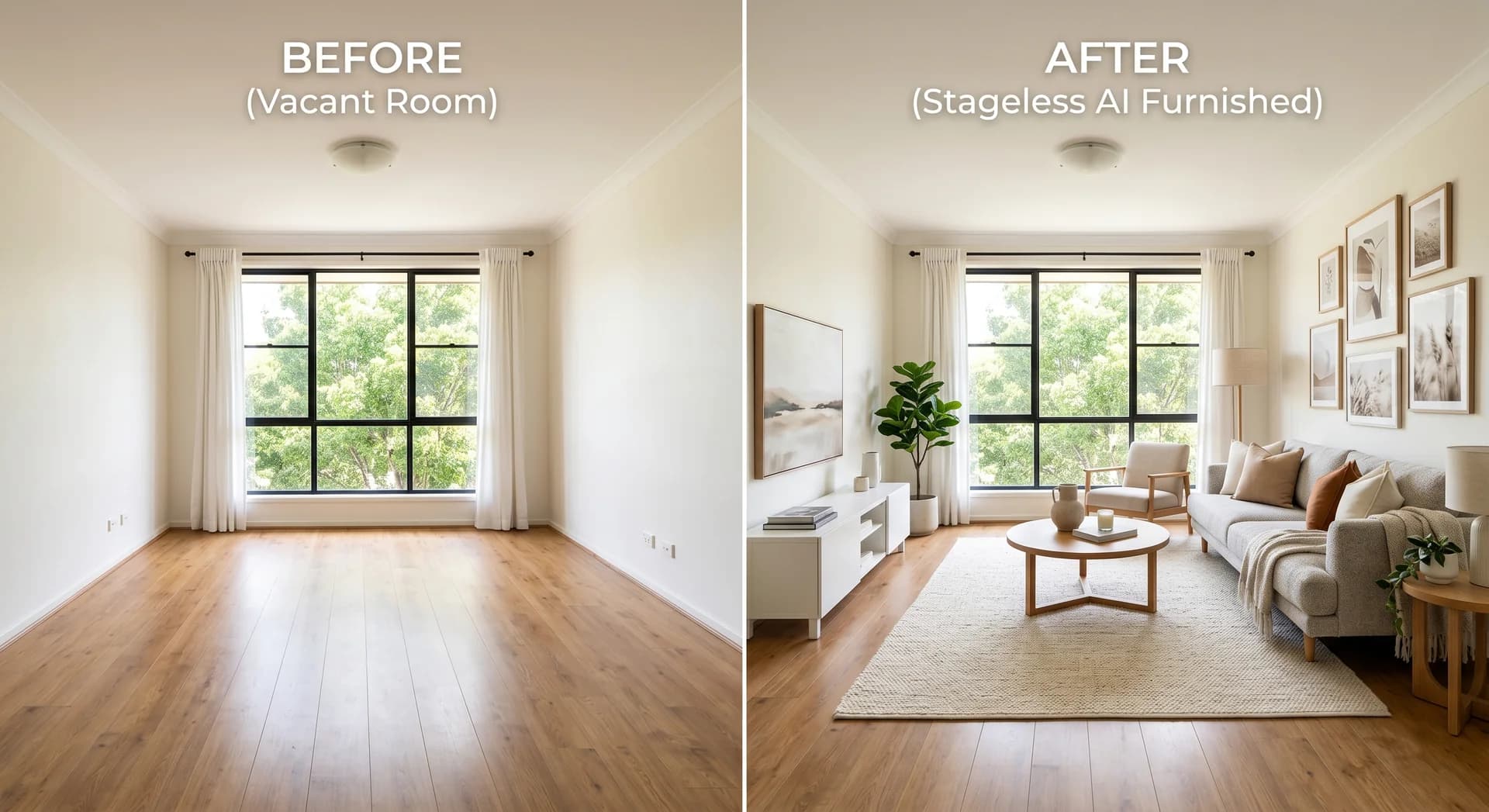
Most agents who use both virtual staging and AI video tours get each feature right on its own and the sequence wrong. The result is a wasted credit, an extra hour, and a walkthrough of an empty property that nobody wanted.
The rule is short. Staging goes on the photographs. The video tour is generated from the photographs you have already worked on. Reverse it and there is nothing to correct, because a video that already exists cannot be staged.
This is the full workflow for a listing, from the shoot to the exports, and the four specific points where the order changes the outcome rather than just the convenience.
Why the Order Is Not Reversible
An AI video tour is built from still photographs. The AI reads each image and generates camera movement through the space that image depicts. Whatever is in the photograph appears in the video, and whatever is absent stays absent.
So a tour generated from photographs of an empty room is a cinematic walkthrough of an empty room. The camera work is competent, the transitions are smooth, and the buyer sees bare walls and an uncovered floor for fifty seconds.
There is no way to add furniture afterwards. The only remedy is to stage the photographs and generate a second tour, which costs another video credit and repeats the assignment and ordering work. It is not a catastrophe. It is an avoidable hour.
The Complete Workflow, End to End
1. Shoot the property
Standard listing photography, with three constraints that matter specifically because a video will be generated later.
Keep the camera at the same height in every room, roughly chest height. Lock exposure and white balance before the first frame and leave them alone. Keep the blinds in the same state throughout the property.
Shoot straight into rooms rather than diagonally into corners, and avoid ultra wide angle. Corner framing compresses space and wide-angle distortion is more visible in motion than in a still.
Cover every room the buyer cares about once, clearly. A second frame for any room too large for one shot. That is the set.
2. Declutter and remove objects
If the property is occupied or the rooms contain personal items, this comes before staging rather than during it.
Use the declutter tool to remove existing furniture and clutter, and object removal for individual items that need to go: a bin, a car in the driveway, a drying rack. You are producing a clean plate that the staging step can then furnish.
The reason this is a separate step rather than something the staging handles implicitly is control. Staging over existing furniture produces a compromise between what was there and what you asked for. Staging into an emptied room produces what you asked for.
3. Enhance the light
Auto enhancement corrects exposure and colour before the styling decisions are made. Doing it afterwards means correcting a composite, and any correction applied to the whole image also lands on the added furniture, which is rarely what you want.
This is also the step that pays off most in the video, because inconsistent light between rooms is the artefact buyers register first and articulate least.
4. Stage the interiors
Choose the style, apply it to the cleaned and enhanced photographs, and keep the style constant across every room in the property.
Stageless AI offers Modern, Scandinavian, Mediterranean, Industrial, Minimalist and Luxury. Match the style to the property and the market rather than to personal preference. Each image takes under 30 seconds.
One rule that costs nothing and is broken constantly: the same style in every room of the same property. A Scandinavian living room next to an Industrial bedroom reads as two different apartments, and in a video tour, where the rooms are connected by continuous movement, the mismatch is far more obvious than it is in a photo gallery.
5. Revise with instructions, not regeneration
When something needs changing, describe the change instead of regenerating the image. Edit with Instructions applies the change you name and leaves everything else alone.
This matters to the sequence for a practical reason. Regeneration produces a different image, which means a different arrangement, which means the room no longer matches the other rooms in the set. Instruction editing preserves the set. Do all revisions here, before the video, because after generation any change means a new tour.
6. Handle the exterior
Exterior staging is a separate decision and it serves a different photograph. The interior work serves the images a buyer sees after opening the listing. The exterior serves the cover photo that determines whether they open it at all.
Façade renovation, garden refresh, object removal from the driveway and sky replacement all sit here. Do this before the video if the exterior is going into the tour, which it usually should be, because the exterior is where a walkthrough naturally begins.
7. Assign photos to rooms and set the order
Upload between 3 and 30 staged photographs. Most residential listings sit between 8 and 15.
If you have a floor plan, upload it and the AI names the rooms and places them on a map. If you do not, add the rooms yourself in a few seconds. The plan is a convenience, not a requirement.
Drag each photo onto its room, then drag the rooms into the order a buyer would physically walk the property. Entrance first, then the space it opens onto, then kitchen, then bedrooms, then outdoor space. End on the strongest space, because the final five seconds are what the buyer carries into the decision.
8. Choose a video style and generate
Four video styles: Cinematic, Modern, Luxury and Minimal. One video credit per tour regardless of photo count. Generation usually takes 3 to 10 minutes and you do not need to keep the tab open.
Note that each photo becomes about five seconds of video. Ten photos produce roughly fifty seconds. That arithmetic should have influenced your photo selection in step 7, which is why the destination decision belongs earlier in the workflow than most people put it.
9. Export for each destination
The MP4 downloads with a share link. You have at least three destinations and they want different things: the portal listing, a vertical cut for social, and the link you send directly to a buyer who asked about layout.
Confirm current portal video requirements in your own account before generating, because a maximum accepted length may change how many photos you should have used.
10. Write the disclosure
Label the images, add the line to the listing description, note that the video tour was AI-generated, and record what was edited. Article 50 of the EU AI Act has applied since 2 August 2026 and the disclosure duty sits with whoever publishes the listing.
This is step 10 in sequence but it should be decided in step 1. Deciding your standard wording once, at the start, means it is never the thing that delays a publication.
The Four Points Where Order Actually Matters
Most of the workflow above is preference. Four points are not.
Declutter before staging, never during
Staging over existing furniture produces a hybrid of the old arrangement and the new one. Emptying first gives the staging a clean plate and gives you the result you asked for.
Enhance before staging, not after
An exposure correction applied after staging also lands on the added furniture. Correct the real photograph, then add to it.
Stage before video, always
The central rule of this article. There is no path back.
Revise before video, not after
Any change to a photograph after the tour is generated means generating the tour again. Do every revision at the image stage, look at the full set together, and only then move to video.
Style Consistency Between Photos and Video
The staging styles and the video styles are different lists, and they do not map one to one. Staging offers Modern, Scandinavian, Mediterranean, Industrial, Minimalist and Luxury. Video offers Cinematic, Modern, Luxury and Minimal.
That mismatch is not a flaw, because the two are doing different jobs. The staging style decides what is in the room. The video style decides how the camera behaves: pacing, movement, how long it lingers.
Pairings that work in practice. Scandinavian or Modern staging with the Modern video style, for urban apartments where the pacing should be brisk. Mediterranean or Luxury staging with Cinematic, for houses and properties where scale and outdoor flow are the argument. Minimalist staging with Minimal video, for small apartments and studios, where elaborate camera work in a compact space looks like a distraction. Luxury staging with the Luxury video style only where the property genuinely sits in that segment, because mismatched signalling costs more credibility than plain presentation ever does.
Time and Cost for One Listing
For a standard three-bedroom apartment with eight rooms to cover.
Photography is your existing process. Declutter, enhance and stage eight images: under 30 seconds each, so roughly fifteen minutes including the time you spend looking at them. Revisions with instruction editing: a few minutes. Assigning photos to rooms and ordering them: five minutes if you think about the order, which you should. Generation: 3 to 10 minutes, unattended. Exports and disclosure: ten minutes the first time, two minutes after you have a template.
Cost: staging from €0.60 per image, so under €5 for the set, plus one video credit for the tour. Compare that against a professional property video at €800 to €2,000 with a scheduled shoot and multi-day delivery, and the reason this workflow exists becomes clear.
What Goes Wrong When the Sequence Slips
Four failure modes, each traceable to a step done out of order.
A walkthrough of an empty property: video generated before staging. Remedy is a second credit.
Rooms that look like different apartments: staging style changed part-way through the set, or some rooms staged and others left as shot. More visible in video than in a gallery.
Light that shifts between rooms: enhancement skipped, or exposure not locked at the shoot. This one cannot be fixed downstream. It has to be prevented at step 1.
One room that does not match the rest: a regeneration used instead of instruction editing. The regenerated image is a different arrangement, and in a continuous walkthrough the discontinuity shows.
The Workflow for Three Common Listing Types
Empty property
Shoot, enhance, stage, revise, exterior, assign, order, generate, export, disclose. The declutter step is unnecessary. This is the shortest version of the workflow and the one where the video gains most, because an empty property is exactly the case where photographs give a buyer the least.
Occupied property with dated furniture
Shoot, declutter, enhance, stage, revise, exterior, assign, order, generate, export, disclose. The full sequence. The declutter step is what makes this listing viable at all, because dated furniture reads to a buyer as renovation cost rather than as potential.
Off-plan or renovation project
Same as an empty property, with one difference that is not optional. The disclosure has to be explicit that both the images and the video represent a projection rather than the current state of the property. Something along the lines of: images and video show a design concept; the property is sold in its current condition.
For a property that does not yet exist or does not yet look like the thing being sold, the disclosure is not a legal formality. It is the difference between a credible projection and a misrepresentation, and it is what lets a buyer take the video seriously.
Getting Started
Stageless AI gives three free credits on signup, with no credit card required. Everything above runs in a browser on desktop or mobile.
A sensible first run: take a listing you have already photographed, work eight to twelve images through the staging steps in order, then generate one tour from the finished set. Doing it once in the right sequence teaches the workflow better than reading about it, and the mistake it prevents is the one that costs a credit.
Try it free at stageless.ai. Three credits, no subscription, no credit card.
Written by Stageless Team
We are a team of real estate technology experts passionate about AI. Our mission is to help agents sell faster by democratizing access to high-end virtual staging tools.