REimagineHome Alternatives for Real Estate Agents in 2026

Stageless Team

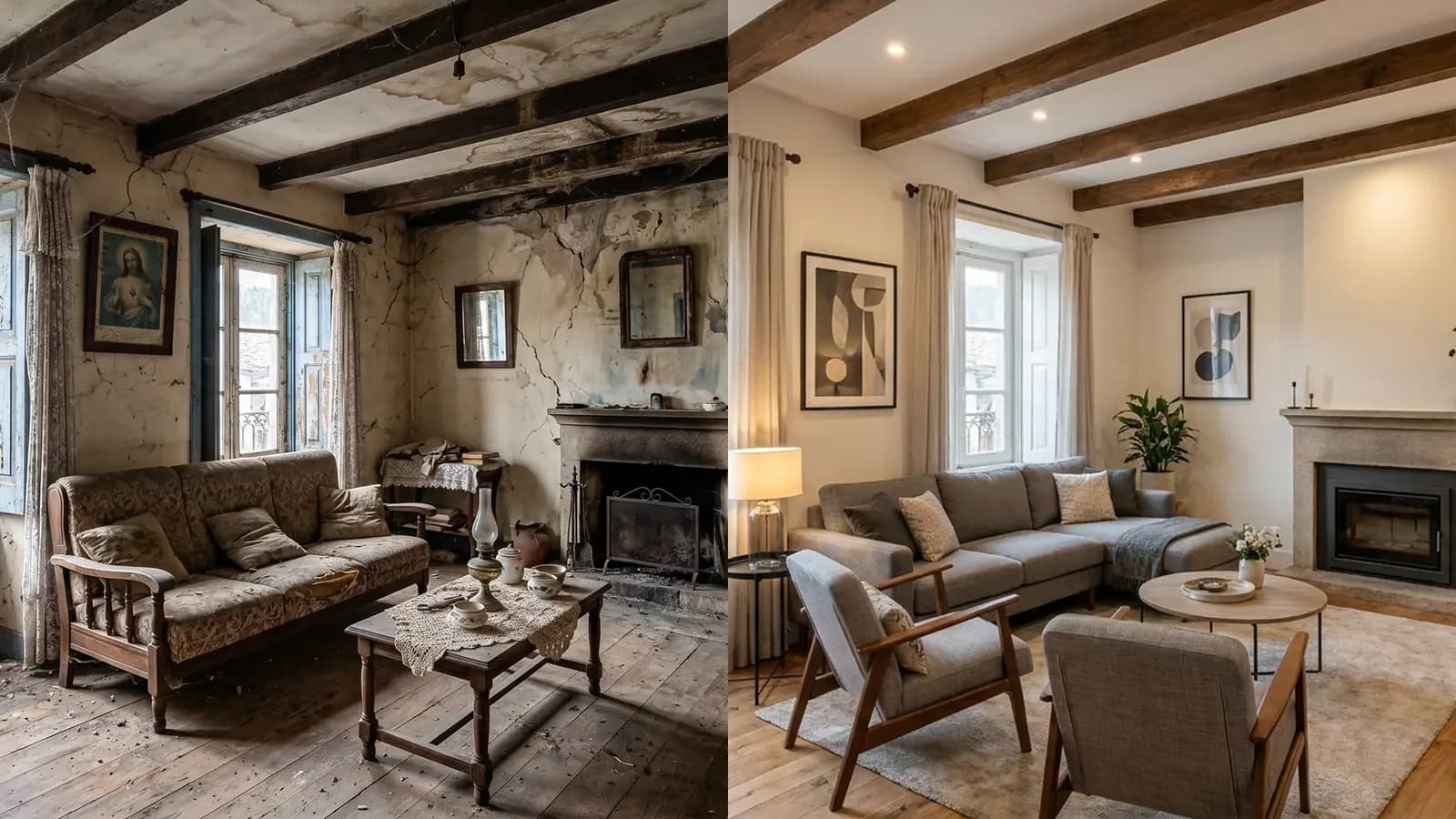
REimagineHome alternatives are worth a look when your main job is staging listing photos, not redesigning your own home. REimagineHome (often searched as "reimagine home") is a broad AI design tool. It stages rooms, redesigns furnished spaces and edits exteriors and gardens. It also links its designs to real products you can buy. That breadth suits many users. Agents who stage 100 or more photos a month often want something narrower, cheaper per photo or simpler to repeat.
This guide explains what REimagineHome does and what it costs. It then covers why agents look elsewhere and how seven alternatives compare with it on price, output and terms. All prices come from each provider's own page, checked in October 2026. We make a dedicated tool, Stageless AI, so read with that in mind. It is one of the seven options. We hold it to the same checks as the others.
What REimagineHome Is and What It Costs
What it does
REimagineHome describes itself as an AI tool for interior design, virtual staging and exterior visuals. You upload a photo, describe the result you want and refine it step by step in a conversational flow. Its feature list is long: virtual staging, emptying a room, redesigning furnished rooms, repurposing a room, interior renovation, repainting walls, object removal, landscaping, hardscaping, lawn replacement, pools, sky replacement and day to dusk. It also enhances, upscales and straightens images.
Two features stand out. The first is shopping. Designs can include real products with live prices. REimagineHome says it earns a commission on qualifying retailer purchases. The second is a batch workflow for listings: up to 50 photos at once, sorted by room, with a stated turnaround of 2 to 5 minutes.
REimagineHome lists five audiences on its homepage: homeowners, real estate agents and teams, interior designers, landscape designers and merchants. The site footer reads "©2026 Styldod, Inc". Styldod presents REimagineHome as its self-serve product.
Pricing and credits
The pricing page gives a range of $14 to $99 a month in its page title. Its FAQ says plans for "the full agentic experience" start at $36 a month. The page lists four plans by monthly credits:
- Essential: 30 credits a month. Virtual staging for common rooms, light redesigns, basic landscaping and exterior edits. No reference photos, no real products, no "High Resolution Quality".
- Pro: 200 credits a month. Adds the conversational design flow, precision control, real products, listing batch processing, reference photos and faster rendering.
- Advanced: 400 credits a month, at a lower cost per credit.
- Agency: 900 credits a month, at the lowest cost per credit.
The page does not show a price next to each plan. One design costs one credit. A design with real products costs two. Conversation and idea exploration cost nothing. New users get five free designs with no card required.
Resolution, licence and terms
The FAQ says larger uploads are resized to 1024 pixels, with the option to upscale outputs later. Pro and higher plans include "high-resolution, presentation-ready exports". The page gives no pixel figure for exports.
On rights, the FAQ says "all outputs are royalty-free for your commercial use". The Terms of Use (updated 17 July 2026) allow outputs "for personal or commercial purposes permitted by your plan". They also state that subscription credits expire at the end of each billing cycle and do not roll over. There are no refunds mid-cycle. You can cancel anytime and keep access until the period ends. Prices are in US dollars and the terms are governed by Delaware law.
By default, REimagineHome keeps the structure: "Structure stays fixed, walls, windows, ceiling lines." It changes the layout "only if you ask".
Why Agents Look for REimagineHome Alternatives
None of these points make REimagineHome a bad tool. They explain why a listing agent, a property photographer or a developer may want something else.
- It is built for many audiences. Shoppable products, renovation ideas and landscaping are central to the product. A listing agent pays for a platform where much of the feature set serves homeowners and designers.
- The conversational flow takes time. Describing and refining a design is useful when you are exploring ideas. For 20 listings a month, agents usually want one style, one click and the same result every time.
- The starter plan excludes high resolution. On Essential, the page lists "High Resolution Quality" as not included. Listing photos need to stay sharp on a large screen after the portal compresses them.
- Credits expire monthly. Agent volume is uneven. A quiet month means unused credits are lost, with no refund mid-cycle.
- Structure can change on request. That is a feature for renovation previews. For a listing, the room in the photo must be the room the buyer visits.
- Pricing is in dollars under US terms. For European agencies, that means currency conversion and a contract under Delaware law.
What to Look For in a REimagineHome Alternative
Before comparing tools, decide what a good result means for your listings.
- Price per published photo, not per plan. Divide the monthly fee by the photos you actually publish.
- Output resolution. Ask for a number. "High resolution" is not a specification.
- Structure preservation. Walls, windows, doors and floors must stay where they are. Our explainer on how AI virtual staging works shows how the AI reads a room.
- Consistency across a gallery. Eight photos of one flat should look like one home.
- Speed. Seconds or minutes for AI tools. Hours or days for human studios.
- Commitment. Monthly credits that expire, a yearly contract or pay per image.
- Commercial licence and watermark on the plan you will use.
- Disclosure. In the EU, Article 50 of the AI Act requires AI-generated or manipulated images to be disclosed. Your tool should not make labelling harder.
7 REimagineHome Alternatives Compared
Each entry covers what the tool is, what it costs, who it suits and its limits, then compares it back to REimagineHome. For a wider ranking, our list of the best AI virtual staging tools covers more options.
1. Stageless AI
What it is: an AI virtual staging platform for estate agents, developed by the AI Lab of Caixa Mágica Software in Lisbon. It stages empty rooms, declutters, removes objects, renovates and redesigns spaces. It also builds AI video tours from your photos.
Price: €0.60 per photo on the homepage. Base is €10.99 a month for 20 credits and one video tour. Pro is €44.99 a month for 100 credits and three video tours. Both are watermark-free, with no commitment. The free trial gives 20 credits for one month with watermarked images for personal use.
Best for: agents and photographers who stage every listing and want a predictable cost per photo in euros.
Limits: no native app (the web platform works from the phone's browser), no team accounts and no API. The style list is shorter than a full design tool: Nordic, Modern, Industrial, Minimalist, Japandi, Modern Luxury, Classic Luxury and more. There is no landscaping or shopping feature.
Versus REimagineHome: narrower on purpose. Stageless AI does staging and listing edits, not product shopping or garden design. Output is 4K and processing takes under 30 seconds per image. The site claims "100% preservation of original structure, depth and perspective". The video tour sits in the same plan. Our comparison of Stageless AI vs competitors covers more tools.
2. Virtual Staging AI
What it is: an AI tool focused on virtual staging for real estate.
Price: four plans shown with yearly billing. Basic is $16 a month for 6 photos. Standard is $19 for 20 photos. Professional is $39 for 60 photos. Enterprise is $79 for 150 photos. That works out at $0.53 to $2.67 per photo. The page shows the same prices with monthly and yearly billing.
Best for: agents in the US market who want a staging-only tool with simple plans.
Limits: the pricing page does not state resolution, watermark or licence terms. Prices are in dollars.
Versus REimagineHome: much narrower. It covers staging rather than redesign, shopping and landscaping. Its per-photo price at the higher plans is published, which makes budgeting easier.
3. Collov AI
What it is: an AI staging and photo editing platform with a wide set of listing extras.
Price, with yearly billing: Standard $19 a month for 60 photo credits. Advanced $49 for 150. Premium $79 for 263. Enterprise $127 for 526, with API access. Standard includes no watermark, high-resolution downloads and a commercial photo licence. Usage resets each month. The free trial shows five images with a watermark.
Best for: teams that want staging plus extras such as day to dusk, lawn replacement, multi-angle staging and AI virtual tours on the higher plans.
Limits: no pixel resolution stated. Credits reset monthly, as with REimagineHome. Video and 360 features start at Premium.
Versus REimagineHome: closest in breadth for listing work, without the shopping side. Its pricing is published plan by plan, which REimagineHome's page does not show in text.
4. Pedra
What it is: a real estate platform that combines AI staging with property videos, 360° tours and floor plans.
Price: Pro Monthly is €29 a month for 100 credits. Pro Annual is €239 a year for 1,200 credits. Staging and photo enhancement cost one credit each. Floor plan renders cost two. AI-animated photos cost five. The trial gives 7 credits, one video and one virtual tour, with no card required.
Best for: agents who want staging, videos and tours on one plan priced in euros.
Limits: the pricing page does not state output resolution or the number of users.
Versus REimagineHome: priced in euros, aimed at agents rather than homeowners, with marketing tools around the photos. We cover it in more depth in our Pedra alternatives guide.
5. Apply Design
What it is: virtual staging with two modes. Auto staging delivers staged images from your design preferences. DIY staging gives you a drag-and-drop editor.
Price: paid in Apply Coins at $7 (20+ coins), $8 (10 to 19) or $10 (up to 9) each. An auto-staged 2D image costs 1.5 coins. A DIY 2D image costs one. That puts a 2D image at roughly $7 to $15. The first image is free. Auto staging lists a 15-minute turnaround. No subscription is required.
Best for: agents who stage a few listings a month and want control over every piece of furniture.
Limits: much higher cost per photo than subscription AI tools. Resolution is not stated.
Versus REimagineHome: pay per image instead of monthly credits that expire. More manual control, much less breadth.
6. BoxBrownie
What it is: a photo editing service where human editors stage your images.
Price: US$30 per image for residential virtual staging. Item removal is US$10 (US$5 for one or two small items). Day to dusk is US$5. Editors deliver in under 48 hours, with unlimited changes within two months of the order.
Best for: premium listings where a human editor should check scale and placement.
Limits: price and time. A 100-photo month costs US$3,000 and you wait up to two days per batch.
Versus REimagineHome: the opposite trade-off. You give up minutes and low cost for human work and free revisions. Our comparison of virtual staging companies includes more studios like this one.
7. Interior AI
What it is: an AI interior design app with several modes: interior design, style transfer, virtual staging, outdoor design and emptying a room.
Price: the homepage says the Pro plan allows 1,000 stagings a month for $390 a year. It mentions Premium at "$60 more a month" for 5,000 interiors, without the base price.
Best for: designers and agents who want many variations for a low fee.
Limits: like REimagineHome, it serves designers and homeowners as much as agents. The homepage does not state licence terms or resolution.
Versus REimagineHome: a similar idea-generation tool with a high monthly volume. Neither is a listing-first tool.
A note on Styldod
Styldod sometimes appears in lists of REimagineHome alternatives. It is the same company. Styldod offers REimagineHome as its self-serve product. It also sells human Expert Services with a 24 to 48 hour turnaround and an enterprise module. If you leave REimagineHome for Styldod, you change service level, not provider.
Comparison Table: REimagineHome vs the Alternatives
| Tool | Entry price (checked October 2026) | Model | Speed | Built mainly for |
|---|---|---|---|---|
| REimagineHome | $14 to $99/month range, 5 free designs | Monthly credits, expire each cycle | 2 to 5 min per batch | Homeowners, designers, agents, merchants |
| Stageless AI | €0.60/photo, Base €10.99/month | Monthly credits, no commitment | Under 30 seconds | Estate agents, photographers |
| Virtual Staging AI | $16/month for 6 photos (yearly billing) | Monthly photos | About 10 to 15 seconds | Agents |
| Collov AI | $19/month for 60 credits (yearly billing) | Monthly credits, reset monthly | Under 15 seconds | Agents, teams, brokerages |
| Pedra | €29/month for 100 credits | Monthly or annual credits | Not stated | Agents |
| Apply Design | $7 to $15 per 2D image | Pay per image (coins) | 15 min (auto) | Agents with low volume |
| BoxBrownie | US$30 per image | Pay per image, human editors | Under 48 hours | Premium listings |
| Interior AI | $390/year for Pro | Yearly subscription | Not stated | Designers, homeowners, agents |
What a Month of Listings Costs With Each Tool
Take an agent with 12 listings a month and about 8 staged photos per listing: roughly 100 photos.
| Tool | Plan that covers 100 photos | Monthly cost |
|---|---|---|
| Stageless AI | Pro, 100 credits | €44.99 |
| Virtual Staging AI | Enterprise, 150 photos (yearly billing) | $79 |
| Collov AI | Advanced, 150 credits (yearly billing) | $49 |
| Pedra | Pro Monthly, 100 credits | €29 |
| Apply Design | 150 coins for 100 auto-staged images at $7 | $1,050 |
| BoxBrownie | 100 images at US$30 | US$3,000 |
| REimagineHome | Pro, 200 credits | Price not shown in page text |
These figures assume one credit per photo and no regenerations. Count your own usage. Most agents generate two or three versions of the living room before choosing one. Real products on REimagineHome cost two credits per design.
The table shows the main split. Subscription AI tools cost tens of euros or dollars for a month of listings. Per-image and human services cost hundreds or thousands. Among the AI tools, the cheapest plan on paper is not always the cheapest per photo you publish. A plan only pays off if the output passes your quality check. Our guide to virtual staging cost runs the same numbers for studios and physical staging.
How to Test an Alternative on Your Own Listing
Marketing galleries show the best result. Your listings are what matter. Run the same test on every tool you consider.
- Pick five real photos from one recent listing: a living room, a kitchen, a main bedroom, a small bedroom and one awkward shot with a low angle or a large window.
- Use the free trial or the smallest plan. Do not pay for a year before testing.
- Choose one style and keep it for all five photos.
- Time each image from upload to download.
- Download at full size and open it on a large screen.
- Check structure: windows, doors, radiators, sockets and the floor line must be where they were.
- Check scale: a sofa should fit the room, not shrink it.
- Check light: shadows should fall away from the windows.
- Compare the five images side by side. Do they look like one home?
- Count the credits you used, regenerations included. Divide the price by the images you would publish.
- Read the licence and watermark terms for the plan you would buy.
- Do the same test in REimagineHome so you compare like with like.
Write down the results in a small table with one row per tool. After an hour, the choice is usually obvious.
When REimagineHome Is Still the Better Choice
Switching is not always right. Stay with REimagineHome in these cases. You can also keep it next to a staging tool.
- You sell renovation potential. Repainting, restyling surfaces and interior renovation ideas are core features. For a dated house, showing what it could become is useful, as long as you label it and publish the current photos as well.
- You work with gardens and exteriors. Landscaping, hardscaping, lawn replacement, pools and sky replacement go beyond what most staging-only tools offer.
- Your clients want to buy the furniture. Shoppable products with live prices help designers and home sellers who furnish for real.
- You stage in batches of up to 50 photos and are happy with the output and the US pricing.
- You want one tool for listings and for client design work.
In these cases, REimagineHome covers more ground than any single alternative above. For pure listing staging at volume, a narrower tool is usually faster to run and easier to budget.
Tips for Switching From REimagineHome
- Download your outputs first. Keep the originals and staged images for live listings, with the date and tool used.
- Check your billing date. Credits expire at the end of the cycle with no refund mid-cycle, so use them before you cancel.
- Do not restage a live listing in a new style halfway through. Finish current listings with the old tool. Start new ones with the new tool.
- Keep the labels. Every staged photo should still say it was virtually staged, whatever tool produced it.
- Run both tools for one month if the decision is close. Compare cost per published photo, not plan price.
- Build a style guide for your agency: two or three styles by property type. It makes any new tool give consistent results faster.
- If you use video, stage first and then generate the tour, so the video matches the gallery.
Sources
- REimagineHome, pricing page, checked October 2026
- REimagineHome, homepage, checked October 2026
- REimagineHome, FAQs, checked October 2026
- REimagineHome, Terms of Use, updated 17 July 2026
- Styldod, homepage, checked October 2026
- Stageless AI, plans, checked October 2026
- Virtual Staging AI, prices, checked October 2026
- Collov AI, pricing, checked October 2026
- Pedra, pricing, checked October 2026
- Apply Design, pricing, checked October 2026
- BoxBrownie, pricing, checked October 2026
- BoxBrownie, virtual staging, checked October 2026
- Interior AI, homepage, checked October 2026
Written by Stageless Team
We are a team of real estate technology experts passionate about AI. Our mission is to help agents sell faster by democratizing access to high-end virtual staging tools.